Pages

Showing posts with label iPads. Show all posts

Sunday, October 25, 2015

App Smashing Padlet & Hello Crayons with a side of Pumpkin Soup

I have been excited and surprised to see some apps and programs that I used to use as an 8th grade social studies teacher also work with my current K-2 library classes. I incorporated Padlet (originally Wallwisher) for years in my social studies classes, but did not think of bringing it into my library classes until a colleague recently described it as a K-12 app.  Having only used the web version and not the app, I was delighted to see how K-2 friendly the iPad app was. The best feature had to be the built-in QR code scanner that easily lets the students access a shared Padlet through a teacher displayed QR code.  


While I understood that the QR code feature could help my students easily access our shared Padlet, I was originally skeptical about using this app with my K-1 students. As an 8th grade social studies teacher, I had used Padlet primarily as a space for my students to share their thinking through typed responses. It was not until I did a little research online and found a wonderful article, Kindergarten Padlets, from engaged.net, when I understood that Padlet can also be used to share student thinking through illustrations.

By app smashing Padlet with a drawing app, students can save their drawings to the iPad camera roll, and easily upload them to a collaborative class Padlet.
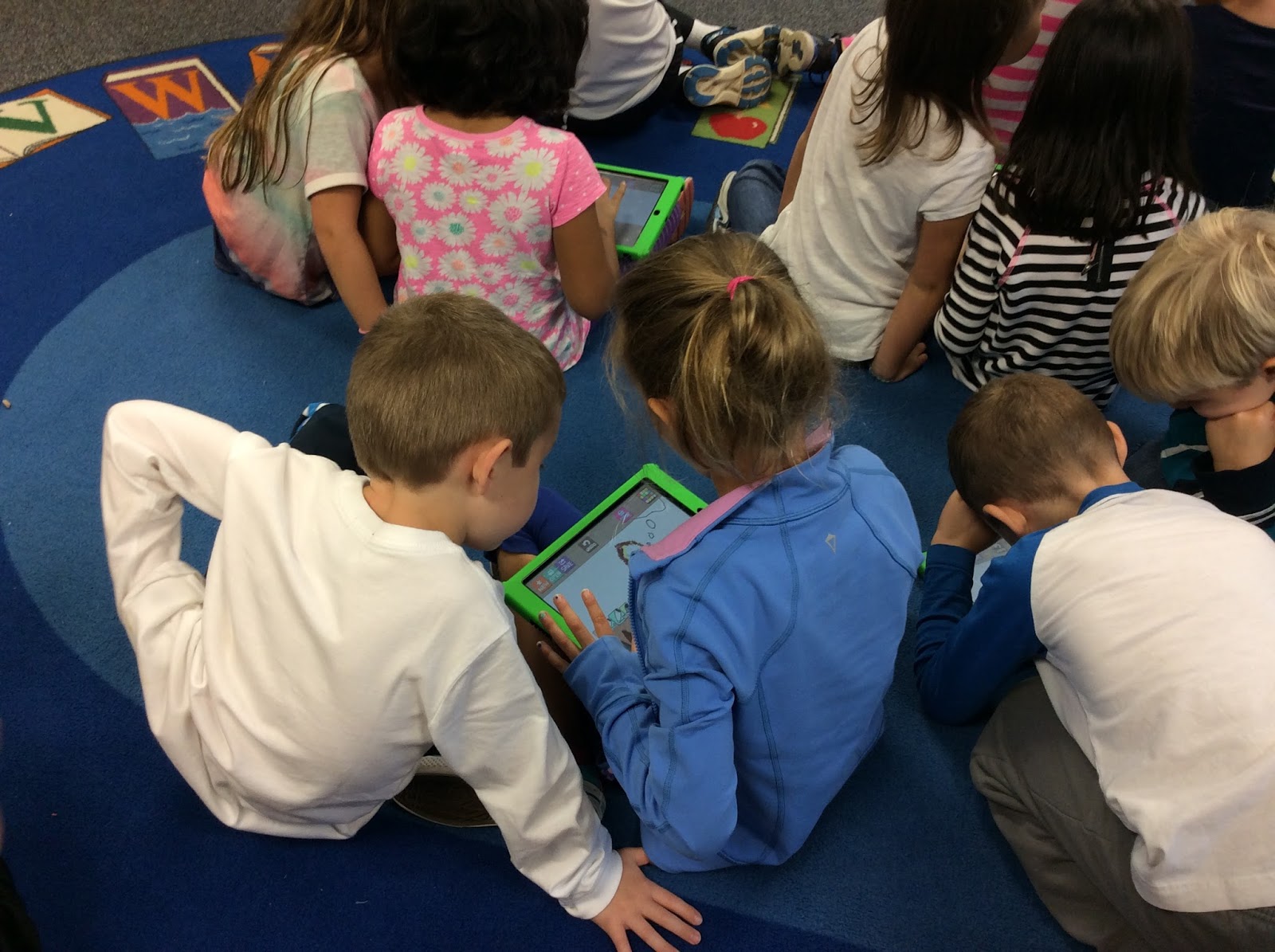

These students are using the drawing app "Hello Crayons" before sharing to Padlet


On my first go-around with Padlet in the library, I decided to have my K-2 students draw a response to a question concerning a character in the picture book Pumpkin Soup, by Helen Cooper.


In this perfect story for autumn, the Cat and Squirrel become worried when their friend the Duck storms off after a squabble concerning their roles in preparing their daily pumpkin soup.  We never know where the Duck disappeared to before returning, but the Cat and Rabbit present many fanciful ideas through thought bubbles.  For our class reflection, my students drew their own thought bubbles of what they imagined the Duck was doing all along.  I had my students work in pairs, and reminded them to take turns sharing better than the 3 character did in the story!


This Padlet contains some of my students' thought bubbles about what Duck was doing the whole time:


On this first go around, I miss-planned the timing of my 30-minute lesson and ran out of time to explain to the whole class how to upload their drawings to the class Padlet.  Many groups simply didn't finish their drawings in time. As a result, I only had a few students in each class finish in time for me to help direct them individually how to access Padlet through the QR code scanner and upload their saved image. The Padlet above contains a mix of K-2 drawings.  One unintended consequence was a shared K-2 Padlet, but in the end the students loved seeing the work posted by the other classes.

I plan to use this application more regularly so that the steps become routine, as well as explore some other options such as the drawing features in Nearpod.


Some technical notes:
If Hello Crayons is not saving the illustrations to the camera roll, check the app settings to make sure that permissions are granted. Additionally, if the built in QR code scanner on Padlet is not working, your firewall might be the issue. 

Monday, September 21, 2015

Add audience and purpose to library routines lessons with Puppet Pals

Why should I teach my kindergarten students library routines, when I can empower and engage my 2nd grade students with this task?

Our 2nd grade students creating Puppet Pal videos
 to teach the kindergarten students library routines

In these first weeks of the school year, I wanted to add audience and purpose to our lessons on library routines.  While teaching our students how to use a shelf marker and check out a "just right" book is essential, I didn't want to miss out on an opportunity to increase student engagement and introduce some creativity and collaboration.

Over the past few years, I have become increasingly influenced as an educator by Daniel Pink's Drive and Alan November's Who Owns The Learning?  One major takeaway has been that we must empower our students and engage them through purposeful and meaningful work.

This led me to the following question: Why should I teach my kindergarten students library routines, when I can empower my 2nd grade students with this task?

This question led me to Puppet Pals, an easy to use digital storytelling app.


Instead of spending whole lessons reviewing library routines with my second grade students, I decided to challenge them.  As the oldest grade in our K-2 elementary school, could they create puppet show movies on the iPad to teach the kindergartners? I placed the second grade students in small groups of 2-3, and provided them with a script sheet, a clipboard/pencil, and an iPad.


We reviewed the scripts, explored how to use Puppet Pals 2, and introduced how to export saved files to our class Google Drive folders on the iPads.  After two sessions of writing scripts, reflecting on library routines, and introducing Puppet Pals 2, the students were ready to create on our third session. One of the great things about Puppet Pals 2, the students could take photographs of the library to set the scene for their show! 

Here's an example of a video for finding a just right book:


Please excuse my voice in the background, I learned 
to give class instructions more quietly when students are recording!


And another example for using a shelf marker (or "hold my place card"):


Today I surprised my kindergarten students with the videos that the second graders made just for them.  After we watched the videos, we reflected on the main ideas presented.  When I asked for their feedback to share with the second graders, they gave a resounding "Thank You!", "It was awesome!", and "We loved it!"

This year I plan to continue adding a meaningful audience for student work, and hopefully to extend that audience to beyond the classroom.


Saturday, September 12, 2015

App Smashing QR Codes and ChatterPix for a K-2 Library Scavenger Hunt


I couldn't wait to start out my fist year in a K-2 library with a QR code scavenger hunt that taught the students where different types of resources are located in the library media center.

However, making a QR code scavenger hunt for a K-2 library posed some initial challenges.  I found some great resources online, and inspiration from blogs like Gwyneth Jones' The Daring Librarian, but most resources out were not suitable for K-2 students. 

This struggle led me on a journey to develop a QR code scavenger that would work for all of my students, including my beginner and pre-readers.  

My first decision was to app smash QR codes with ChatterPix.


ChatterPix adds an animated mouth to still photographs, and lets the user record their voice over the now animated photo for up to 30 seconds.  Channeling the talking paintings from Harry Potter, I wanted to make the books come alive and talk to the students about their section of the library. 


Here is an example of a video played from the picture books section of the library:


Here is another example from one of our books from section 398.2: 


Using videos meant that my beginner and pre-readers could gather information from the QR code scavenger hunt. However, I needed a way to assess the students' understanding.  This led me to creating a map with a corresponding number matching section.

With this document, students wrote the number from the map next to the type of book that they found there.  The images of book covers on this document matched the books that spoke to them through the videos.


We even included a QR for the checkout desk, that talked to the students about how they will check out their books later that week:


In the end, I decided to take my kindergarten and first grade students on a guided tour of the sections of the library that would be most relevant to them.  The second grade students were given free roam to explore through this activity, and they performed wonderfully. 


*Some final technical notes:
The QR Codes were generated through qrstuff.com.  To make the QR codes look cleaner and easier to scan, first shorten the hyperlink through a service like tinyurl, bitly, or google url shortener.  The videos that were created through Chatterpix were downloaded to the camera role on my iPad, and uploaded to Google Drive through the Drive app.  Before creating a QR code with the link to the stored video, make sure to set the share settings in Google Drive to "anyone with link can view." Post any questions in the comment section below!